Screen translator for iPhone
Read any app in your language.
Double-tap the back of your iPhone. Overtext translates the text on the screen and lays the translation right over the original. Made for life in a new country: school apps, letters from the bank, and group chats.

iPhone camera
- Free, no ads
- Works offline
- Screenshots stay on your phone
- No account
One gesture. The whole screen.
You do not copy text or switch apps. Overtext works on top of the app you are already using.
-
Choose your gesture
Pick how you start a translation. The app shows you each step of the setup.
- Back Tap: double-tap the back of your iPhone
- Action button, on iPhones that have one
- A floating button on the screen
-
Use it in any app
Open a message, a web page or a form, and use your gesture. Overtext takes a screenshot and translates it on your phone.
-
Read, then close
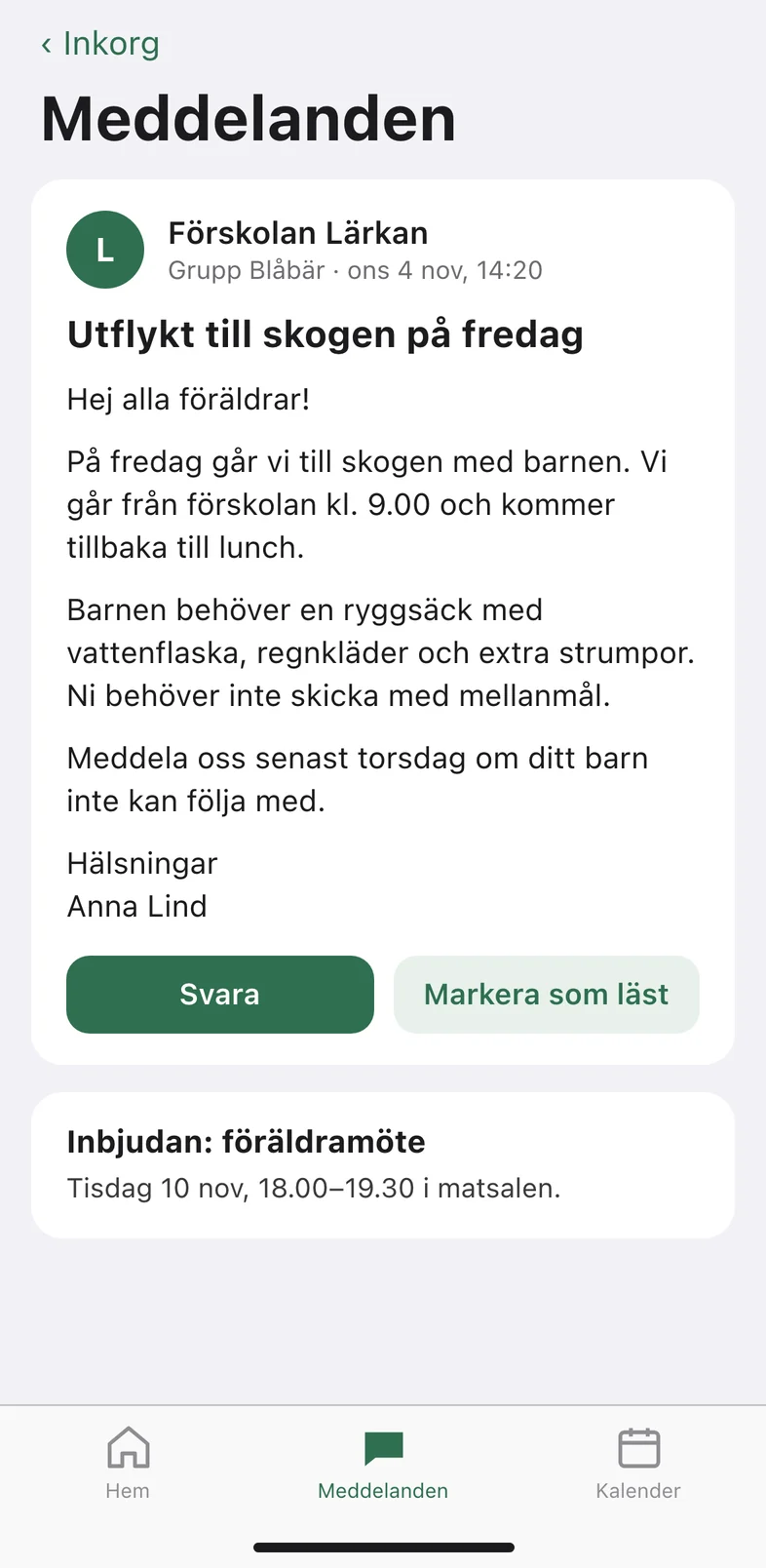
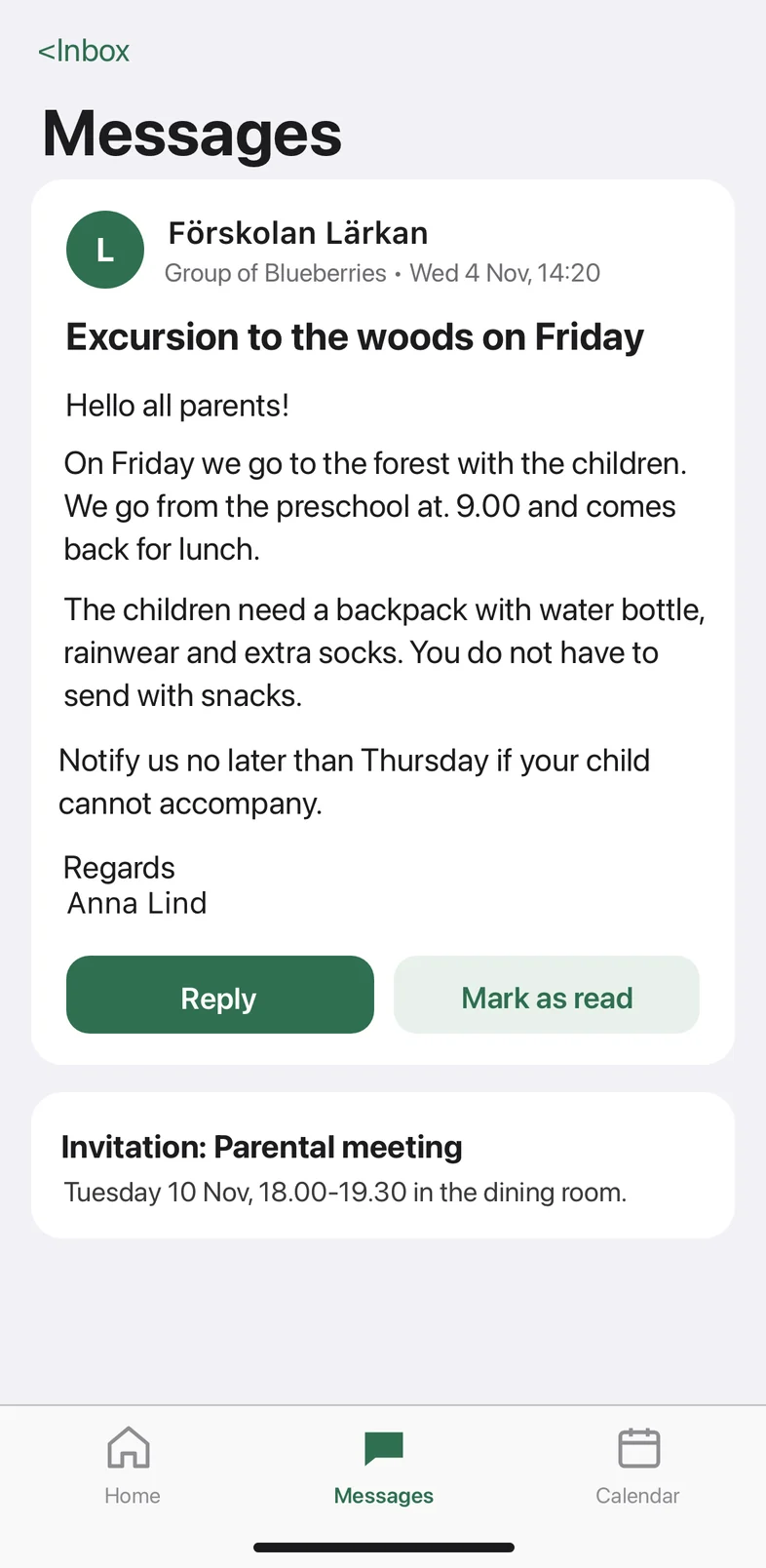
The translation appears over the original, in the same layout. Zoom in, save or share it. Close it, and you are back where you were.
Made for daily life in a new country
When you move to a new country, important things arrive in a language you are still learning. A note from your child's school. A message about a doctor's appointment. A long chat in the parents' group. Overtext is made for those moments.
-
School and preschool
Messages from teachers, timetables, trips and forms to fill in.
-
Health care
Appointments, reminders and messages from the clinic.
-
Banks and authorities
Bills, letters in a digital mailbox, and pages from public services.
-
Group chats
The neighbours, the football team, the parents' group.
The translation looks like it belongs there
Overtext measures each line of text on the screen: its size, weight, colour and position. It draws the translation in the same place, at the same size. Headings still look like headings, and buttons still look like buttons.
Most text keeps its original size. When a translation is longer, Overtext first uses the empty space around it, then makes the text smaller, and as a last resort cuts it short.
Turn on Copy translated text after each translation, and you can paste the translation into a reply or a note.
Your screen stays on your phone
Overtext reads and translates the screenshot on your iPhone. It does not send the screenshot, its text or the translation anywhere. That is also why it works without an internet connection.
Some technical data is sent to Google: crash-reporting data, which never contains screen content, and usage data from Google's translation library, such as the phone model and the languages used. Read the privacy policy.
- No account and no sign-in
- No ads and no tracking
- One screenshot, only when you use your gesture
- Works with no internet once a language is downloaded
Languages
Each language is about 30 MB and downloads once. Overtext finds the language of each screen by itself. Swedish is the language we have tested the most.
Reads screens in 17 languages
- English
- Swedish
- Danish
- Norwegian
- German
- Dutch
- French
- Spanish
- Italian
- Portuguese
- Polish
- Czech
- Romanian
- Turkish
- Indonesian
- Malay
- Vietnamese
Screens must use the Latin alphabet. Screens in Chinese, Japanese, Korean or Thai cannot be read yet.
Translates into 55 languages
- Afrikaans
- Albanian
- Belarusian
- Bengali
- Bulgarian
- Catalan
- Chinese
- Croatian
- Czech
- Danish
- Dutch
- English
- Esperanto
- Estonian
- Filipino (Tagalog)
- Finnish
- French
- Galician
- Georgian
- German
- Greek
- Gujarati
- Haitian Creole
- Hindi
- Hungarian
- Icelandic
- Indonesian
- Irish
- Italian
- Japanese
- Kannada
- Korean
- Latvian
- Lithuanian
- Macedonian
- Malay
- Maltese
- Marathi
- Norwegian
- Polish
- Portuguese
- Romanian
- Russian
- Slovak
- Slovenian
- Spanish
- Swahili
- Swedish
- Tamil
- Telugu
- Thai
- Turkish
- Ukrainian
- Vietnamese
- Welsh
Arabic, Persian, Urdu and Hebrew are not supported yet.
The app itself is in English, Spanish, Hindi, Chinese, Ukrainian, French, Romanian, Polish, Portuguese, Russian and Turkish.
Questions
Is Overtext free?
Yes. Offline translation is free, with no limit and no ads. You do not need an account.
Does Overtext need an internet connection?
Only to download languages. Each language is about 30 MB and downloads once, on Wi-Fi unless you allow mobile data. After that, Overtext translates with no connection.
Does Overtext send my screenshots or text anywhere?
No. Overtext reads and translates the screenshot on your iPhone and does not send the screenshot, its text or the translation anywhere. Some technical data is sent to Google: crash-reporting data without screen content, and usage data from Google ML Kit, such as the phone model and the languages used. The privacy policy lists them.
How good is the translation?
Overtext translates on your phone with Google ML Kit. It is good for understanding what a message is about. It can get names and short words wrong, and it is not a certified translation. For anything important, such as a decision from an authority or medical advice, check with a person.
Which languages does Overtext support?
Overtext reads screens in 17 languages written in the Latin alphabet, including Swedish, German, Dutch, French, Spanish and Polish, and translates into 55 languages, including English, Ukrainian, Russian, Chinese, Hindi and Turkish. Arabic, Persian, Urdu and Hebrew are not supported yet. See the full lists.
Which iPhones can use Overtext?
Any iPhone with iOS 26.1 or later. You start a translation with Back Tap (double-tap the back of the phone), the Action button on models that have one, or a floating button on the screen.
Does Overtext watch my screen all the time?
No. It sees one screenshot, only when you use your gesture. It does not record your screen.
Can I copy the translated text?
Yes. Turn on “Copy translated text after each translation” in the app. After each translation you can paste the text anywhere, for example into a reply.